
What Assistive Access actually is
Assistive Access is a built-in iOS mode (introduced with iOS 17) that Apple designed "to make it easier for people with cognitive disabilities to use iPhone independently." When it's on, the entire phone becomes a small set of large, high-contrast choices — big grid or big rows — and a persistent Back button. Apple has optimized a handful of its own apps for it: Calls, Camera, Messages, Music, Photos, Magnifier, and Apple TV. A trusted supporter — that's you — sets it up and personalizes it.
How to turn it on
Settings → Accessibility → Assistive Access, then follow the setup steps: choose the apps, choose grid or rows, and set the Assistive Access passcode (that's the key for entering and leaving the mode). Plan for 20–30 unhurried minutes, with the phone in your hands. Apple's own guide covers every screen of it.
What it's genuinely great at
It's free and built in. It removes almost every way to get lost — fewer choices, huge targets, one Back button. For someone who is overwhelmed by any unexpected screen, or for whom every extra option is a hazard, that completeness is the point, and nothing an app adds can match how total it is.
The honest limits
It changes the whole phone. The camera loses features, some apps aren't available in the mode, and third-party apps don't all behave gracefully inside it. The list of Apple-optimized apps is short. Getting in and out requires the Assistive Access passcode — protective, but it means the "full iPhone" is effectively gone for them. Setup and every later change happen on their phone, in your hands — there's no remote way to adjust it from your own phone when something needs to change next month. And some parents simply don't want their whole phone replaced — it can feel less like help and more like a verdict.
The middle path: keep their iPhone, add a calm home
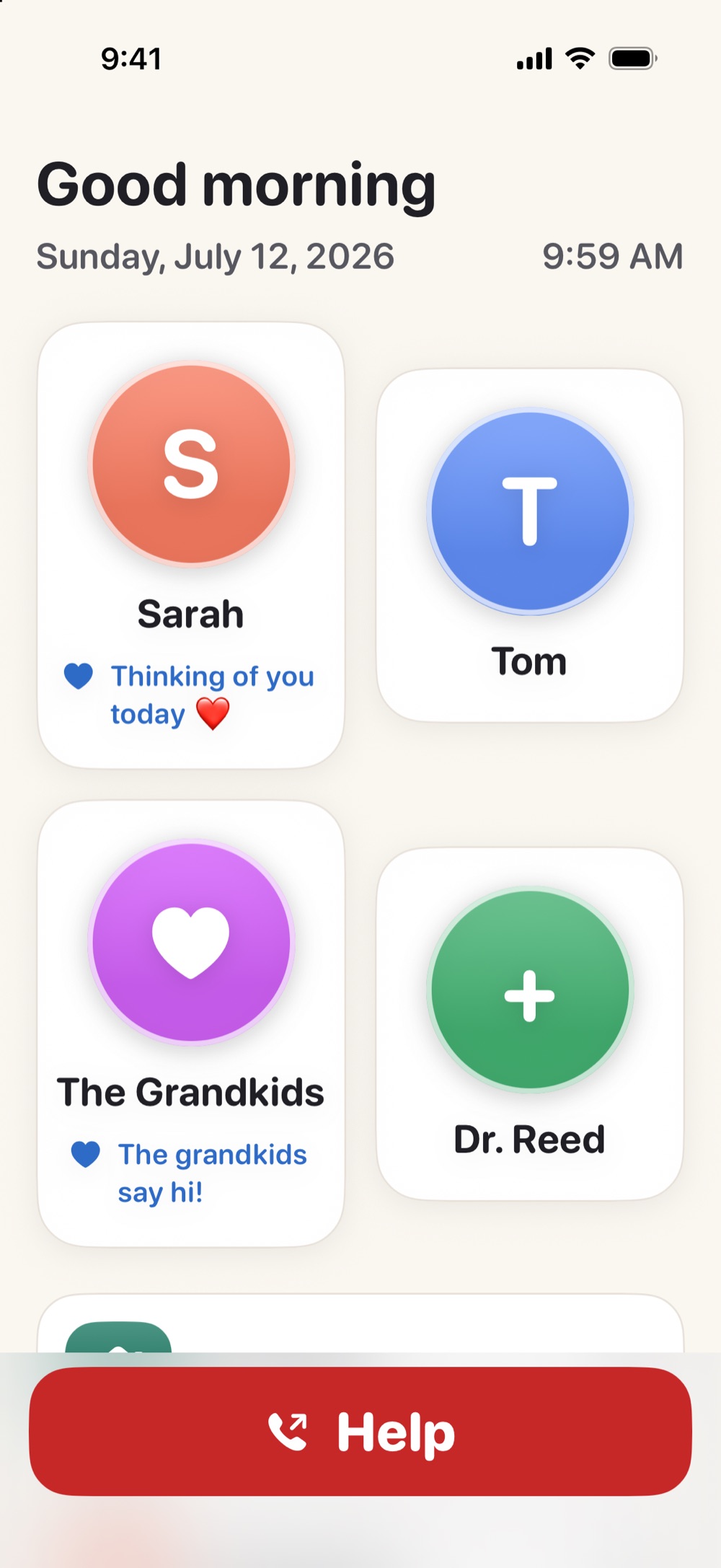
Many older adults don't need the whole phone locked down — they need one warm, reliable place on it. That's what Simple Phone Helper is: a regular app that becomes their home base, with the family as big faces, one-tap calls and FaceTime, a Help button, and magnifier, read-aloud, and caption tools. The rest of their iPhone stays untouched, and — the part Assistive Access can't do — you set it up and keep it current from your own phone, from anywhere. It's not a lockdown; it's a landing place.
Which one fits your parent?
Choose Assistive Access when: every extra option causes real distress, the phone should do only a few things, and you can be hands-on (in person) for setup and changes. Choose a calm home base like Simple Phone Helper when: they can still use the phone but avoid it, calling family is the main event, you want to manage it remotely, and dignity matters as much as simplicity. Some families start with the app and turn on Assistive Access later if needs grow — the two philosophies can be tried in an afternoon each.
If you'd rather start lighter, nine settings that make the standard iPhone easier
Give them a calm place on the phone they already own
Simple Phone Helper is coming soon to the App Store. Join the launch list and we'll email you the day it's ready.
Join the launch listFAQ
Does the iPhone have a senior mode?
Not under that name — but Assistive Access is what people mean. It's a built-in iOS mode (iOS 17 and later) that turns the whole iPhone into a few large, simple choices, designed by Apple for people with cognitive disabilities.
Is Assistive Access free?
Yes. It's part of iOS on iPhone (iOS 17 or later) — no purchase, no subscription. The cost is setup time and the trade-offs of a whole-phone mode: fewer features, and changes require the phone in hand.
Can I set up Assistive Access remotely?
No — setup and every later adjustment happen on the iPhone itself. If remote, ongoing setup by family is what you need, that's the specific gap Simple Phone Helper was built for.